DiroDi Rover Gen1-4 Plus
🚴‍♂️

DiroDi Rover Plus Assembly Manual


CHAPTER 1: OVERVIEW


IMPORTANT NOTE REGARDING THE 750W DIRODI ROVER PLUS

750W DiroDi Rover PLUS is locked to 250W of power and 25 km / h speed out of the box. For off-road use, you can change the power to 500W (by changing the bike's mode from Eco to Normal) or to 750W (by changing the bike's mode from Eco to Power). You can also change the maximum speed for off-road use. Please refer to step 12 of the assembly instructions for more details.

IMPORTANT NOTE REGARDING THE DIRODI ROVER PLUS - FRONT WHEEL INSTALLATION

Installation for the front wheel is again explained later in the article - however it is important to be known that the instinctive 6mm side bolts of the wheel axle are not the primary securing nuts. They are in fact the adjacent 4x silver bolts, front facing on the bottom of the fork which securely clamp down the wheel for a service life of 6 months between checking (how tight: 12nm~). 6mm side bolts should be not overtight (8nm~) but need to be tightened before the silver adjacent bolts.


IMPORTANT NOTE REGARDING THE BATTERY SWITCH

There is an on/off switch on the battery. After daily use, please turn the switch off. To prevent the bike system from always being in Standby Mode, switching the battery off at it's switch helps avoid component degredation.


HOW TO USE THIS MANUAL

This manual contains several chapters, and each chapter contains several steps. Each step has a descriptive paragraph and some photos/videos. This manual mainly explains the assembly instructions. Therefore, please also read the other manual that comes with the bike, which includes information regarding the operation, maintenance, safety measures, etc.

IMPORTANT: For the assembly steps, please first read a step and view all the related photos/videos completely before proceeding with performing the step. If you face any difficulties during the assembly, please contact us via the website's live chat. If there are any mistakes in the manual or any information that should be added or revised for a better assembly experience, please let us know via the live chat.


TOOLS REQUIRED

- 1x 8mm wrench

- 1x 10mm wrench

- 1x 15mm wrench

- 1x Adjustable wrench

- 1x 3mm Allen key

- 1x 4mm Allen key

- 1x 5mm Allen key

- 1x 6mm Allen key

- 1x screwdriver

- 1x Scissor


CHAPTER 2: OPENING THE BOX


STEP 1

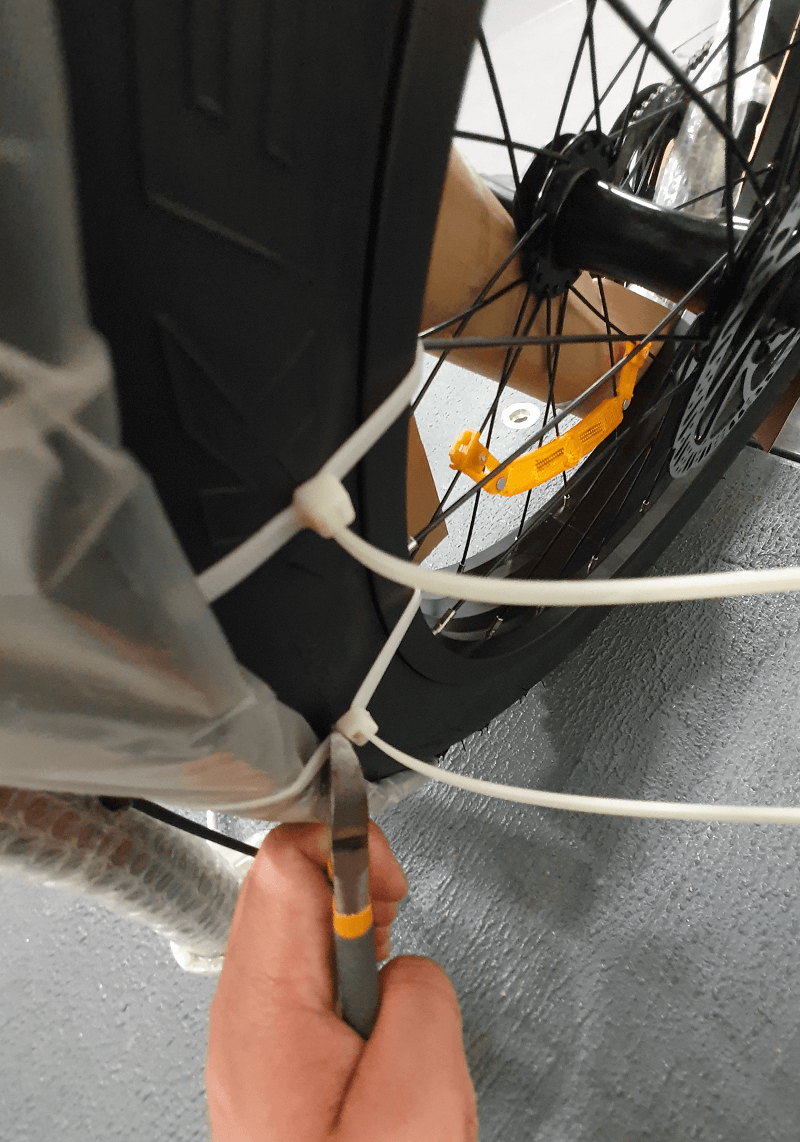
Cut the plastic straps off the box.


STEP 2

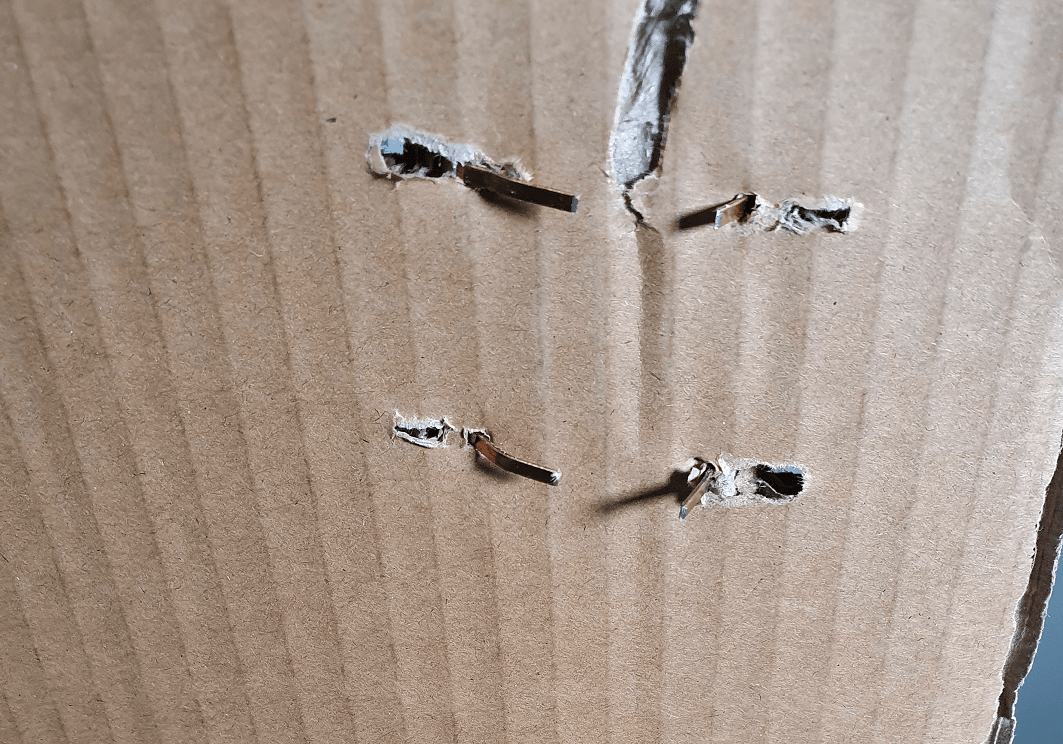
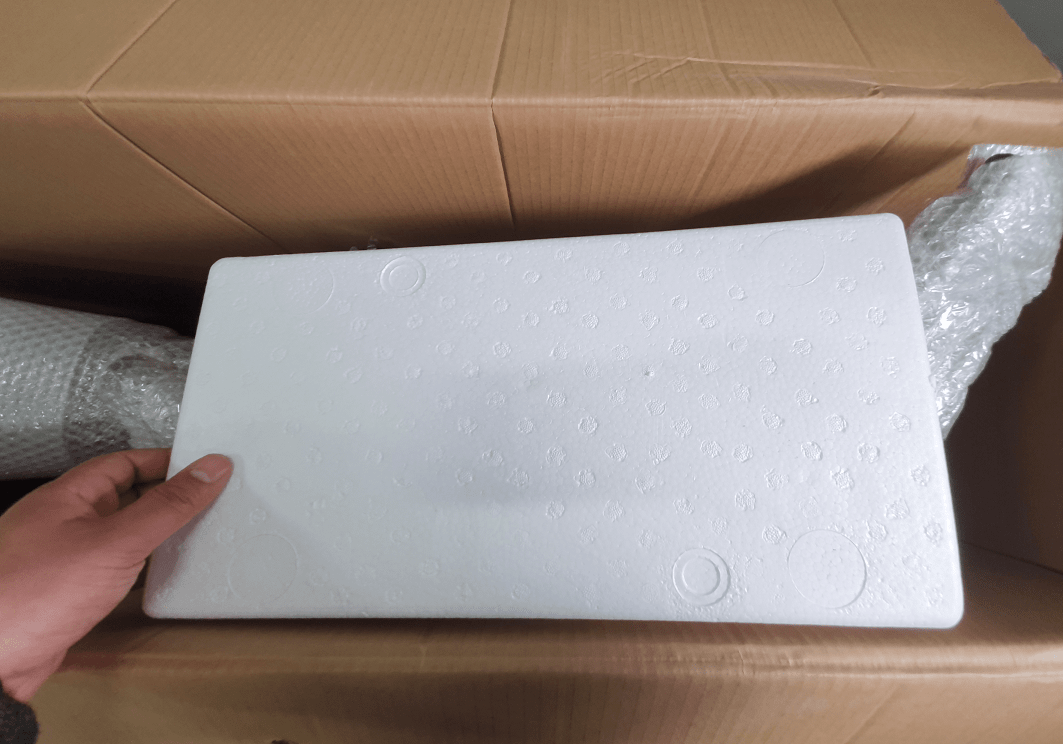
Open the carton flaps and take care so that the staples do not cut you. Remove the protective foam, cardboard, and the small accessories box.


STEP 3

Lay the carton on the floor and then remove the bike from the carton (preferably with someone's help). It is preferable to place a mat in front of the carton to prevent the bike frame from getting scratched. Then, position the bike upright.

IMPORTANT: Please note that the bike is not stable in a standing position until the front wheel is assembled. Please lean it against a wall or have someone hold the bike until the front wheel assembly step is completed (when you will be able to put the bike on the kickstand).


CHAPTER 3: REMOVING PROTECTIVE MATERIAL


STEP 1

Remove all protective material from the bike. 

IMPORTANT: Please take care so that the bike frame does not get scratched. 
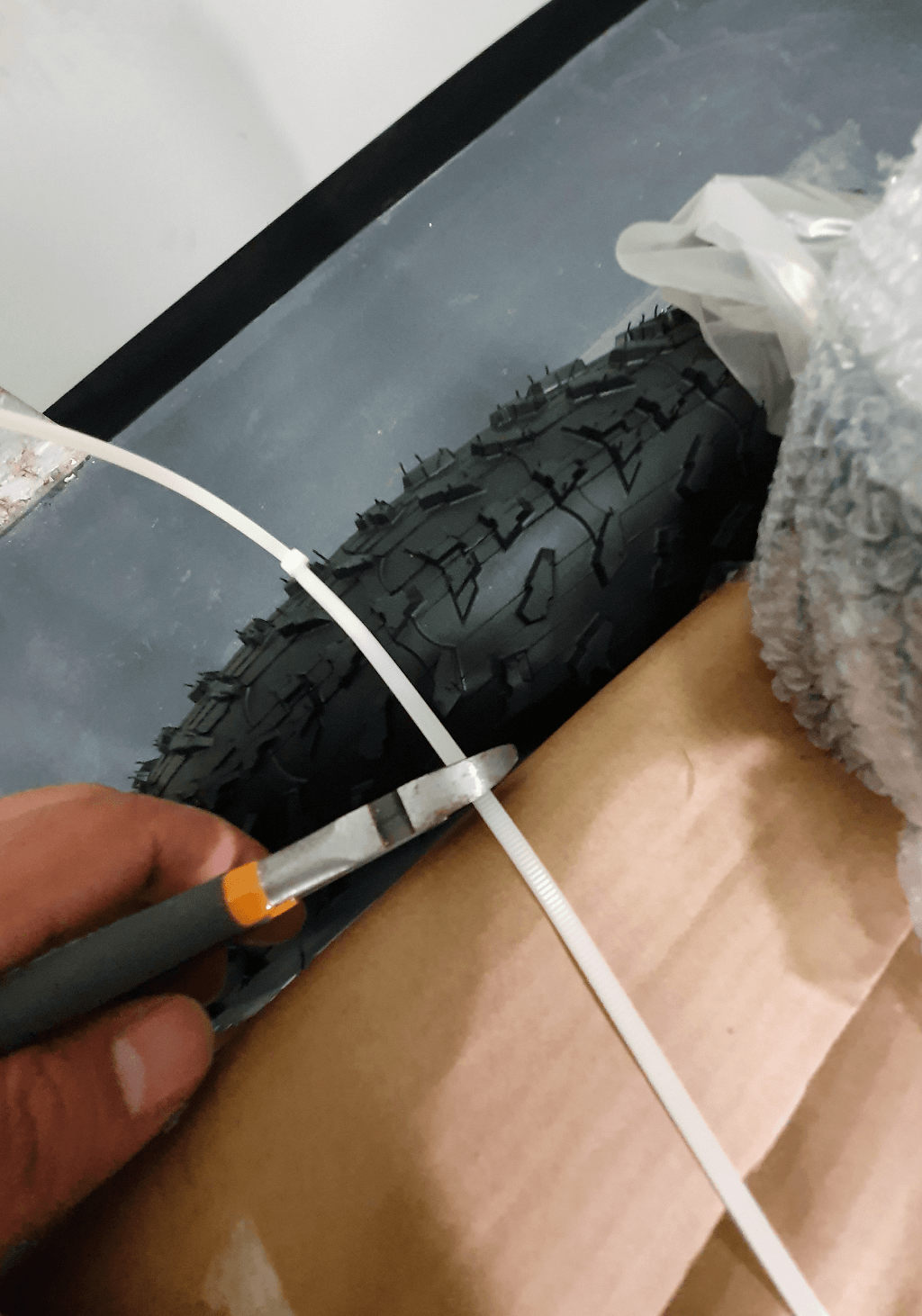

STEP 2

Remove plastic protectors from both sides of the front wheel.


STEP 3

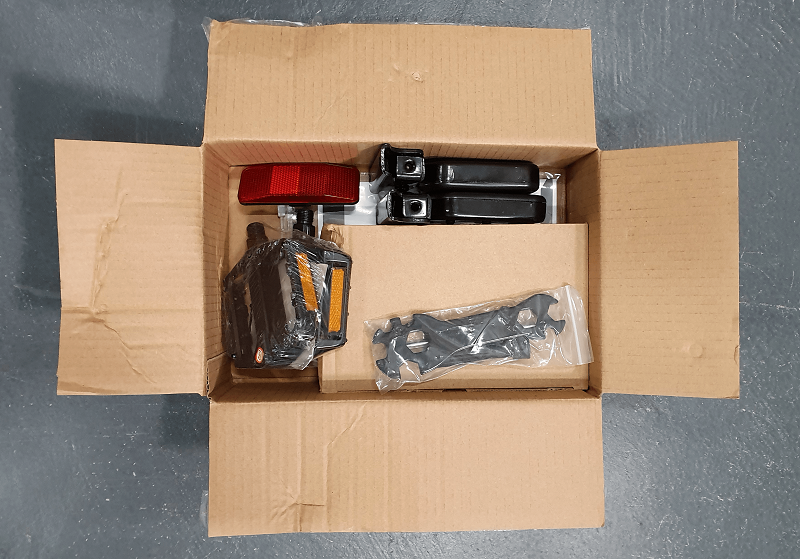
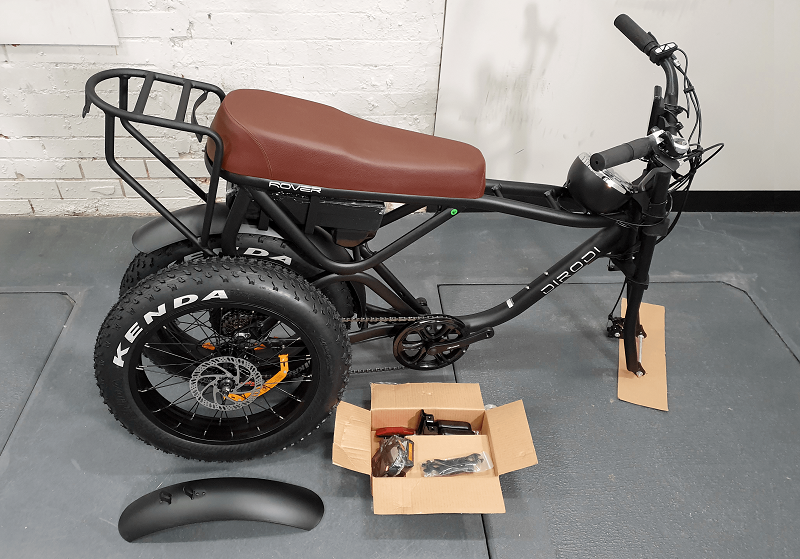
Open the accessories box, which includes the adapter, basic assembly tools, pedals, rear footrests, bike manual and LCD manual. After all protective materials are removed, your bike should look the same as the photo below. 

Note: Rover Generation 3 and above don't come with a reflector as it is installed on the battery.

CHAPTER 5: PUTTING THE BIKE UPSIDE DOWN


CHAPTER 6: ASSEMBLING THE FRONT WHEEL


CHAPTER 7: ADJUSTING THE HYDRAULIC BRAKES


If you still have difficulties adjusting the brakes, please refer to the video below, which is more comprehensive.


CHAPTER 8: ASSEMBLING THE PEDALS


IMPORTANT: Ensure that both pedals are fully tightened. If they are not installed correctly, they may fall off and damage the crank thread. This can pose a significant risk while riding. Please note that such damage is not covered under warranty, so please be cautious.


CHAPTER 9: ASSEMBLING THE FRONT MUDGUARD


CHAPTER 10: INSTALLING THE LEFT FOOT PEG


CHAPTER 11: PUTTING THE BIKE BACK ON IT'S WHEELS


CHAPTER 12: INSTALLING THE FRONT LIGHT


CHAPTER 13: PUMPING THE TIRES

STEP 1

Pump the front and rear tires. The tire pressure should be within the range specified on the tire. 

IMPORTANT: While pumping the tires, stop a few times to ensure that the tire bead has been properly seated all the way around the rim. If the bead starts moving up anywhere, deflate a bit, squeeze and push the bead to get it even all around, and continue inflating. If any part of the tube comes out of the rim during tire inflation, it could lead to a tube burst. In a properly seated tire, the bead line, which is the thin line moulded low on each sidewall, will be just above the rim all the way around on both sides.


CHAPTER 14: REAR DERAILLEUR ADJUSTMENT


STEP 1

The rear derailleur has been adjusted at the factory, but due to parts movement during shipment, slight readjustments might be necessary. Derailleur adjustment is made by the barrel adjuster and “H” and “L” screws, as shown in the photos below. The process is explained in detail in the video below: 


NOTE: Please note that as the derailleur is already adjusted at the factory, any issues in changing gears between gears #2 to #6 should be easily solved by turning the barrel adjuster in the right direction (as per the instructions in the video above). After the gears are smoothly changed between gear #2 to #6, please test gear #1 (the largest cog) and #7 (the smallest cog). If you have any issues with gear #1, you need to adjust the “L” screw, and if you have any issues with gear #7, you need to adjust the “H” screw, as explained in the video above.


CHAPTER 15: OPERATING THE BIKE


IMPORTANT: The laws around the use of electric bikes on public lands, roads and areas vary from state to state. We recommend you always check your local council and road traffic laws prior to using a bike to ensure you are aware of any restrictions that may affect the use of motorised vehicles. Always use appropriate protective riding equipment such as an approved helmet and suitable clothing.


TURNING ON AND RIDING THE BIKE

Press and hold the power button until the bike’s LCD turns on (photo 1). Then by pressing the ‘+’ button, you can increase the pedal assist level from 1 to 6. After setting the pedal assist level, you can start riding the bike. It is suggested to always start your ride at pedal assist level 1 and then gradually increase it, if needed.


CHANGING THE BIKE POWER MODE
The bike has three power modes (eco, normal & power) inside the General Set Menu, 2nd page and functions to change the wattage. The “power” mode offers the maximum power while the “eco” mode offers the least power but the max range and the “normal” mode offers a balance between power and range. By default the bike is on “normal” mode, however if needed you can change the default mode. In order to do so, please turn on the bike, hold the “set” button for 3 seconds until menu appears.


Navigate your seletions with + and -, SET is enter. Exit, Save & Exit using SET to return to main screen eBike HUD.


UNLOCKING THE THROTTLE
Please note the bike’s throttle max speed has been limited to 6km/h to be compliant with Australian standards. However, you can unlock the limit only if you intend to use the bike for off-road use only by the following steps:

While the bike panel is off, twist the throttle to the max and pull and hold one brake lever. While the throttle is twisted to the max and one brake lever is pulled, turn on and then off the bike’s panel three times. Now the 6 km limit is removed. You can put the throttle speed limit back, by doing the above steps one more time. Please note riding a bike with the unlocked throttle on public roads is illegal, so please remember to put back the limit before riding the bike on public roads. To use the throttle, the bike pedal assist level should not be at zero. If the silver button on the throttle is pushed in, the throttle works from a standstill. If the button is not pushed in, you need to twist the throttle and pedal once for the throttle to kick in. It would be better to put the bike on power mode if you need more power in pedal-assist mode or throttle mode.

NOTE: Unlocking the throttle will put additional strain on the motor if used as the primary source of propulsion. This needs to be taken into consideration and used with care so as not to damage the electrical components from overuse. Additional care should be taken if using the 250W model. 


CHANGING THE MAX SPEED
Please hold the set button for 3 seconds until menu is shown on the LCD. Then, navigate to Genereral Set, Speed Limit, set, +/-.

THROTTLE BUTTON - GREY
Throttle button toggle in is 'throttle always on mode'. Throttle button toggle out is 'throttle pedal follow mode'.

WALK ASSIST FEATURE
This feature is designed to allow the motor to push the bike along while you walk beside it, up a parking ramp for example. In order to activate the walk-assist feature, please turn on the bike and press and hold the “-” button.

  
ACTIVATE USB CHARGING OUTLET FROM KEYPAD
Hold + & SET for 3 seconds, notice USB Symbol appear on display.
Plugging a USB cable in will now charge a device using the eBike battery.


Passcode Instructions 

Turn on the bike.

Press and hold the '+' and 'SET' buttons for 3 seconds for the menu, Advanced Set

Navigate to the passcode and enter new 4 digit pin

Turn off bike and test

Unfortunately throttle can still be engaged with this feature, but should not be the main source of security for your ebike - Please invest in a quality bike lock.

If you want a passcode and throttle unlock, best to proceed with the throttle unlock first.


IMPORTANT NOTE REGARDING YOUR BIKE SECURITY

Before using the bike, please record the bike's serial number in case your bike gets stolen. We don't keep track of each bike's serial number for each order. You will need your bike's serial number to lodge a police report if it is stolen.
We strongly recommend using a premium lock to secure the bike. We suggest using ABUS or Kryptonite U locks. We suggest investing around 5% of the bike's price to buy a lock.

In addition to using a U lock, the following methods can be used to further reduce the risk of theft:
- Installing an apple air tag under the bike's seat. In this case, the bike can be tracked if it is stolen.
- Using a bike disk brake lock.
- Installing a bike alarm system. The siren will sound if the bike moves.
- Insuring your e-bike. By doing a google search, you can find companies that offer e-bike insurance in Australia.

In our experience, bike parts theft (e.g. saddle, tyres, LCD, etc.) happens very rarely as these parts are not usually compatible with other brand bikes and therefore do not have a reselling value. Therefore, it's better to keep your focus on securing the bike frame rather than on different parts.

Unfortunately, electric bike theft is common in Australia. Even by using the best lock and security systems, your bike is not going to become 100% theft-proof. Therefore, it's always better to avoid parking your bike in public places for an extended period of time or overnight.


BIKE SERIAL NUMBER

Please record the serial number of your bike. For Rover, it is located on the head tube, printed and starting with PSG...

Dirodi does not record the serial numbers. They are designed to be used as the owner's reference in the event of theft to provide identification to police.