Dual Battery System Installation Guide
Upgrade to a Dual Battery System:
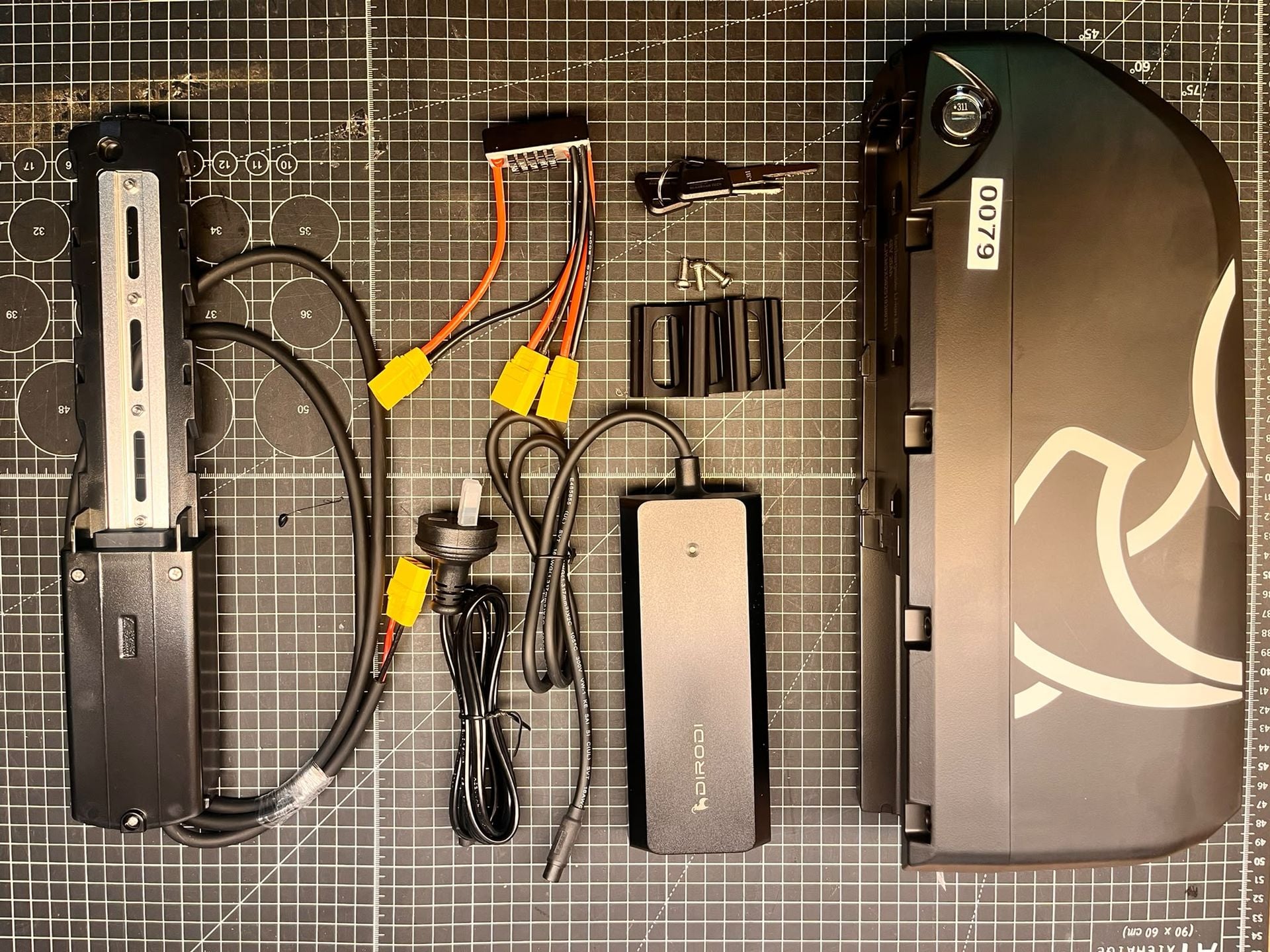
Compatibility: All Rover variants use the Rover Pro battery as the secondary unit.
Mounting: Installs directly onto the topside of the downtube (Dirodi decal tube).
Selection: Ensure you choose the kit with same voltage (48V or 52V) that matches your current main battery.
This particular guide is for installation of the kit to a Rover Pro as access to the controller bay on Rover Pro and Rover Gen1-6 is different.
See guide for Rover Gen1-6 dual battery kit: https://dirodi.com.au/knowledge/article/848
Tools needed:
-5mm allen key on socket wrench (recommended)
-5mm allen key
-Zip ties
-Cutters
-Phillipshead screwdriver
-Electric tape (optional)
-Threadlock, blue/red (optional)
Step 1:
-Remove all downtube Mount Battery Base to Downtube bolts (top side)
-Step over, use all 3 plastic 3D printed shims to support battery base, secure with supplied bolts (bolt heads are flatter than stock bolts)
-Step thru variant, use only 2 shims - as the step thru downtube support bar, need to move battery base up by 1 hole
-Secure the bolts with threadlock, nyloc is applied to these bolts, but extra service life to ensure they do not come loose, threadlock is recommended
-Power cable to be routed later in the later steps
Step 2: Remove Controller Bay Cover
-Remove controller bay for Rover Pro on the underside frame, with 5mm allen on ratchet ensures the bolt heads are not stripped, using ratchet tool. Hand tool not recommended, high risk to damage bolt head.
-Unplug the XT90 yellow connector
Step 3: Install Battery Balancer Inline to all XT90 connectors
-Install the battery balancer module inline to the XT90 plugs. It cannot be done incorrectly as the controller connects with 1 polarity and the other 2 plugs match any battery polarity connection. Plug either battery, start with main battery into battery balancer spare XT90 as it is close by.
-Optional to use electrical tape on the XT90 connectors to further waterproof these plugs
Step 4: Cable Routing and Cable Management
-Route the 2nd battery power cable to the controller bay
-Plug in the 2nd battery XT90 into the battery balancer remaining connector
-Tidy up the extra length of cable into the controller bay (Extra cable length is made due to this product also compatible with Rover Gen5-6 - extra cable length tidying may take time to fold into the spare room in the controller bay.
-The components inside are: controller, light controller module, battery balancer and extra 2nd battery cable
-Everything can fit inside, final look to tidy cable routing from 2nd battery to controller bay with zip ties needed, care for contact of suspension swing arm to not crush power cable, secure with zip ties.
-Close controller bay with 5mm socket/allen
Step 5: Slide on 2nd Battery to downtube
-Install battery and lock with key
-Both battery switches to be switched to ON
Final Notes:
-It is possible to only have 1 battery switched on to operate the system, but it defeats the purpose of the dual battery as the voltage drain reverts back to a single battery set up - so for best results operating with both batteries together gets the longest distance at the highest speed possible. Compared to running 1 battery out and then the other, you will get slower speed gradually twice.
-However it is sometimes a user preferece to remove the 2nd battery to make the bike weigh 5.5kg less, to leave the battery at home for the whenever that is needed.